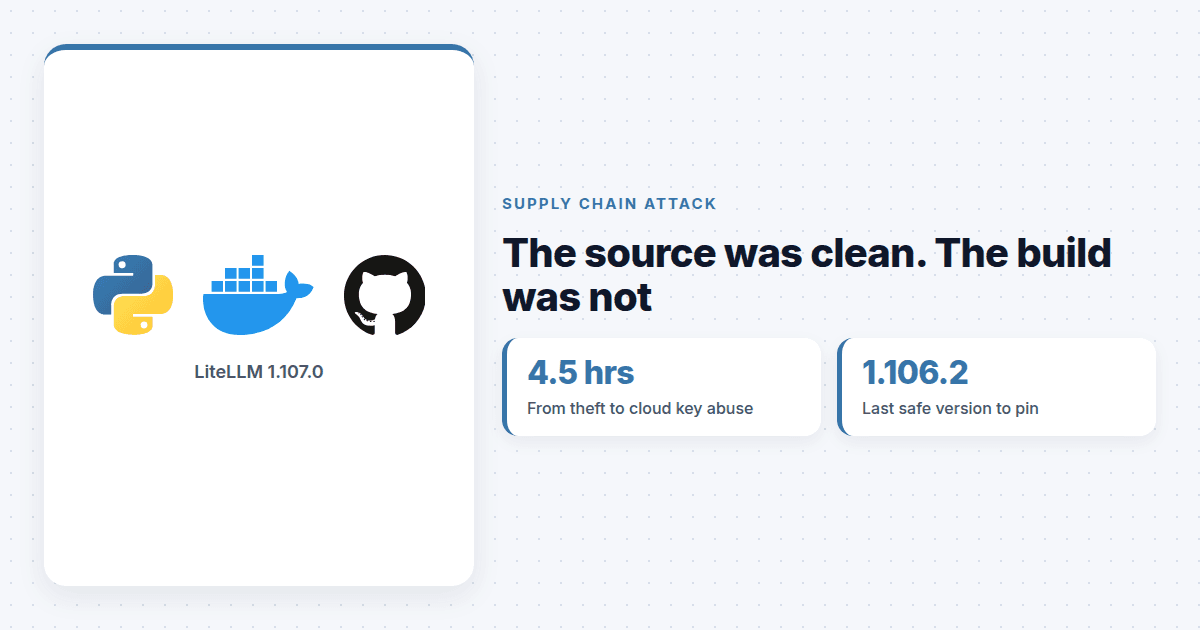
The LiteLLM 1.107.0 compromise on 21 October did not need a malicious commit in the project's real repository. Attackers holding stolen GitHub CLI tokens pointed LiteLLM's own release workflow at a lookalike fork, and the official pipeline built, signed and published the poisoned package to PyPI and Docker.
Anyone who installed litellm 1.107.0 from PyPI between 11:39 and 13:23 UTC, or pulled the Docker tags v1.107.0, latest, main-latest or main-stable between 11:46 and 14:20 UTC on 21 October, should treat that host as compromised. LiteLLM says to pin 1.106.2 or an earlier explicit version, rebuild affected environments from a clean base and rotate every credential the host could reach, working from a clean machine.
How did attackers publish LiteLLM 1.107.0?
According to LiteLLM's timeline, as compiled by Rescana, branch protection rejected an unauthorized change to the private release workflow at 10:08 UTC. Seconds later a credential tied to a privileged developer account overrode it. The attacker used a token belonging to one of the two GitHub organization owners to switch protections off and force-push the change.
The modified workflow pointed at Berri-AI/litellm instead of BerriAI/litellm. One hyphen. At 11:11 UTC a credential tied to a second developer cleared the production approval gate, and seven malicious wheels landed on PyPI at 11:39.
Two details made this easier. LiteLLM had temporarily widened release permissions that Monday so two engineers could ship bugfix backports. And the company said it found a user account in an internal deployment that was exposed to the internet, and believes the attacker lifted GitHub CLI OAuth tokens from that deployment's logs. LiteLLM said an AI coding assistant can include a user's GitHub CLI token in a response body, and the logs were recording those bodies. How the attacker got into the deployment is still unconfirmed.
The source was fine and the build was not
Most supply chain advice assumes you can trust a release if you trust the repository. This one breaks that. The code in BerriAI/litellm was not what shipped, yet the artifacts came out of LiteLLM's real pipeline with real signatures.
Datadog Security Labs noted that the published wheels and images carried build provenance naming the malicious fork as their source. So the evidence was right there in the metadata. Few install pipelines read that field, and a signature check alone passes.
Version pins did not help anyone who tracked latest or upgraded on release day. A digest pin on a known-good image would have.
What does the payload do?
Each wheel drops cook.pth, cook.py and sitecustomize.py into the root of site-packages. Python runs both file types at every interpreter start, so the code runs even if nothing imports LiteLLM. Running pip in that environment sets it off again.
The stealer goes after cloud credentials for AWS, Google Cloud and Azure, including instance metadata, plus LLM provider keys, SSH and GPG keys, shell history and browser data. If a database is configured, it also queries the tables where the LiteLLM proxy keeps upstream provider credentials. Everything is encrypted and posted to litellm[.]dev/healthcheck, a domain LiteLLM does not own. A second component checks a GitHub dead drop every hour for code to run, though Datadog saw no second stage delivered.
Wiz said stolen credentials were put to use about 4.5 hours after exfiltration. Between 16:20 and 17:01 UTC, AWS instance-role credentials taken from CI runners and Kubernetes nodes were checked with sts:GetCallerIdentity and then used to list Amazon Bedrock models, which Wiz described as consistent with LLMjacking.
Why is an AI gateway such a good target?
A gateway like LiteLLM exists to hold every model key your company has, behind one master key and a database. Compromise the gateway host and you do not get one credential. You get the whole wallet, and the cloud role the host runs under as a bonus.
This is also LiteLLM's second PyPI compromise in 2026, after versions 1.82.7 and 1.82.8 in March. If you run it, treat the gateway like a secrets manager rather than a convenience library. Build it from pinned digests, give its host a narrow role, and allow outbound traffic only to the model providers it calls. An egress allowlist would have stopped the exfiltration to a lookalike domain cold.
What should you do now?
Find every environment and image that installed 1.107.0 or pulled the affected tags during the windows. Take them off the network and do not run pip inside them.
Rebuild virtual environments and images from a clean base. Do not try to clean them in place.
Pin litellm to 1.106.2 or earlier, and pin container images by digest instead of floating tags.
From a clean machine, rotate cloud credentials and roles, every provider key stored in the proxy, LiteLLM master and virtual keys, the
DATABASE_URLpassword, and CI/CD, GitHub, SSH and registry credentials.Search CloudTrail for
GetCallerIdentityand Bedrock calls from unfamiliar IP addresses, check provider usage dashboards, and blocklitellm[.]devat DNS and egress.
LiteLLM warns that finding no indicators, such as /tmp/remote_code_loader.lock, does not prove a host is clean. Expect more attackers to aim at release workflows rather than code, because that is where the signing keys live.
Quick answers
Which LiteLLM versions are affected by the 21 October compromise?
Only litellm 1.107.0 on PyPI (11:39 to 13:23 UTC) and the Docker tags v1.107.0, latest, main-latest and main-stable pulled between 11:46 and 14:20 UTC on 21 October 2026. LiteLLM says to pin 1.106.2 or earlier.
Is uninstalling LiteLLM 1.107.0 enough?
No. The payload sits in site-packages as cook.pth, cook.py and sitecustomize.py and runs on every Python start, including pip. Rebuild the environment or image from a clean base instead of cleaning it.
Which credentials should be rotated after LiteLLM 1.107.0?
Cloud credentials and instance roles, every LLM provider key stored in the proxy, LiteLLM master and virtual keys, the DATABASE_URL password, and CI/CD, GitHub, SSH and registry credentials. Rotate from a clean machine.