Plenty of production accounts have a DR section in the architecture doc that says "deployed across three Availability Zones" and stops there. On 15 September 2026, AWS told customers in two Middle East regions that the data they kept only in those zones is gone. If your recovery plan assumes a region survives, this is the week to test that assumption, because the multi-AZ vs multi-region question stopped being theoretical. Below: what AWS confirmed, why the zone model didn't hold, how to find the data you'd lose, and which cross-region features close the gap.
What AWS confirmed
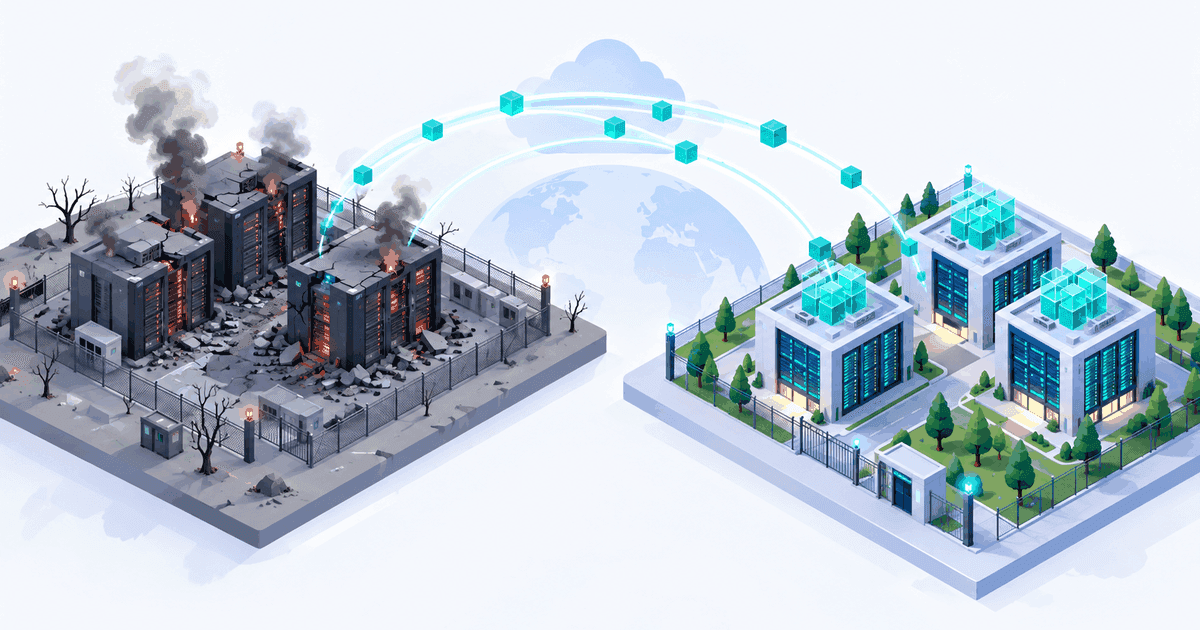
According to AWS Health Dashboard updates reported by InfoQ, DCD and Help Net Security, AWS cannot restore access to resources and data held exclusively in the Middle East (Bahrain) region, me-south-1. In the Middle East (UAE) region, me-central-1, the same applies to anything that lived only in Availability Zone mec1-az2. Work to bring back the other two UAE zones, mec1-az1 and mec1-az3, is still going, with AWS promising further UAE updates over the coming months. The next Bahrain update is due in early 2027.
The cause was physical. Drone strikes hit AWS facilities in the UAE and Bahrain in early March 2026. Reports differ on the later sequence: some outlets say a second Bahrain zone went down in April, taking the region fully offline, and DCD and InfoQ report a further attack on the Bahrain region in July that Iran's Islamic Revolutionary Guard Corps claimed. Coverage describes structural damage, power loss and water damage from fire suppression. AWS's own summary was that the damage spanned several zones and "exceeded what our regional and multi-AZ services are designed to withstand."
Customers weren't blindsided in September. Since the spring, AWS had been advising customers to move accessible resources to other regions and restore the rest from remote backups, and in May it said UAE restoration would take several months. AWS says most affected customers had already restarted elsewhere from backups or surviving copies. The September notice is the part that makes the loss final for anyone who hadn't.
Multi-AZ vs multi-region: why the zone model failed
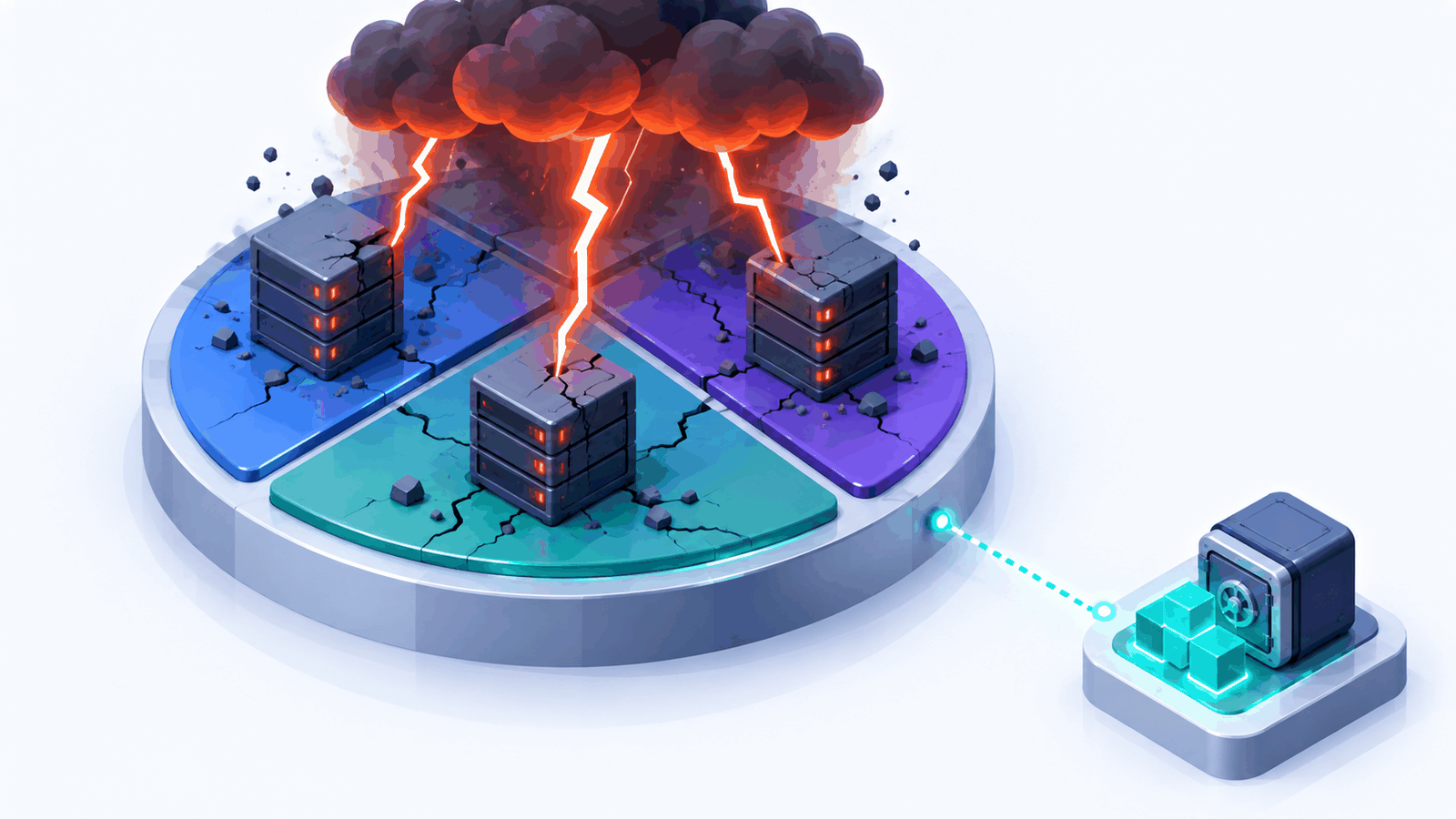
AWS's fault isolation whitepaper describes zones as meaningfully distant from each other, up to about 100 km apart, with separate power substations, cooling and networking. The failure list they're built against is utility power, water, fiber cuts, fires, floods, earthquakes. That covers the incidents that take out one building or one campus. It doesn't cover a threat that can reach every building in a metro area, and a deliberate attack on several sites is exactly that.
Zones are close by design, because synchronous replication needs single-digit millisecond latency. That proximity is the trade-off: every zone in a region shares a geography, a national grid, a political situation and a regulatory regime. Multi-AZ protects you from a data centre failing. It says nothing about the region failing.
AWS's own DR whitepaper draws the same line: if your definition of disaster includes losing a region, you need multi-region disaster recovery, with copies of your data in another region. Most teams read that sentence years ago and filed it under "unlikely".
Compare it with the Google Cloud us-central1 disruption on 1 September: that was a correlated change failure, where one maintenance procedure hit two zones at once. Bahrain is correlated physical loss. The causes differ, but in both cases zones that looked independent on the diagram failed together.
The residency trap
Some teams in the Gulf weren't single-region through carelessness. Data residency rules in several Gulf states push regulated data such as financial, health and government records to stay in-country, and with one AWS region per country, the in-country option is a single region. That's a real constraint, but it means the DR target has to be a second in-country location, a sovereign or on-premises copy, or a regulator-approved exception negotiated in advance. Finding that out during an incident is too late.
Find your single-region data
Before choosing a DR tier, list what would be gone if your primary region vanished tonight. Replicated compute is usually fine. The gaps tend to be in the stateful and supporting pieces:
S3 buckets with no replication rule, including log and artifact buckets you never think about.
EBS snapshots and AMIs that exist only in the source region. A golden AMI pipeline that publishes to one region leaves you rebuilding images from scratch.
RDS and Aurora instances whose automated backups and manual snapshots sit in the same region as the database.
DynamoDB tables that aren't global tables, and their point-in-time recovery, which is regional.
KMS keys. A single-Region key can't be used in another region, and you can't convert one into a multi-Region key later. Snapshots encrypted with it need re-encryption during the copy.
Secrets Manager secrets and SSM parameters without replication.
ECR images with no replication configured.
IaC state: a Terraform state bucket and lock table in the region you're trying to recover from.
Backup vaults in the same region, and often the same account, as the resources they protect.
The last two catch the most teams. A backup in the same region is a durability measure, not a disaster recovery measure.
AWS Resource Explorer, with an aggregator index enabled, gives you a quick cross-region inventory of an account to start from:
# Requires an aggregator index; lists everything Resource Explorer can see in one region
aws resource-explorer-2 search \
  --query-string "region:me-central-1" \
  --max-results 1000 \
  --output json | jq -r '.Resources[] | [.ResourceType, .Arn] | @tsv' | sort
Treat that list as a starting point and diff it against what actually has a copy elsewhere.
Cross-region options, by data type
Each of these is a real, generally available feature. Check availability in your specific region pair before you design around one, since newer regions sometimes lag.
Data | Feature | Notes |
|---|---|---|
S3 objects | Needs versioning on both buckets; existing objects need Batch Replication | |
Mixed resources | Add cross-account copy so one compromised account can't delete both | |
RDS instances | Cross-Region read replicas, or cross-Region automated backups | Backup replication not supported for Multi-AZ DB clusters |
Aurora | Storage-level replication to secondary regions, managed failover | |
DynamoDB | Active-active writes; design for last-writer-wins conflicts | |
EBS / AMIs | Snapshot copy and AMI copy | Cross-key copies are full copies, not incremental |
Encryption | Create new keys; existing single-Region keys can't be converted |
For most teams, AWS Backup with a cross-region, cross-account copy is the cheapest way to get off zero. A minimal Terraform version:
provider "aws" {
  alias  = "dr"
  region = "eu-west-1"            # DR region; pick one your residency rules allow
}

resource "aws_backup_vault" "dr" {
  provider    = aws.dr
  name        = "dr-copy-vault"
  kms_key_arn = aws_kms_key.dr.arn # key must live in the DR region
}

resource "aws_backup_plan" "daily" {
  name = "daily-with-dr-copy"

  rule {
    rule_name         = "daily"
    target_vault_name = aws_backup_vault.primary.name # vault in the primary region, defined elsewhere
    schedule          = "cron(0 2 * * ? *)"

    lifecycle {
      delete_after = 35
    }

    copy_action {
      destination_vault_arn = aws_backup_vault.dr.arn
      lifecycle {
        delete_after = 35         # copies expire on their own schedule
      }
    }
  }
}
You still need an aws_backup_selection to attach resources to the plan. To make the copy cross-account as well, point destination_vault_arn at a vault in a separate backup account and add a vault access policy there. Our AWS architecture guide covers the multi-account structure that makes that account boundary meaningful.
Pick a DR tier on purpose
The four strategies in AWS's DR whitepaper still work as a menu. What matters is choosing one per workload instead of inheriting "multi-AZ" as a default.
Tier | RPO | RTO | Standing cost | What you run in the DR region |
|---|---|---|---|---|
Backup and restore | Hours (last copy) | Hours to days | Low | Nothing; copies only, rebuild from IaC |
Pilot light | Minutes | Tens of minutes to hours | Low to moderate | Replicated data, core infra switched off or minimal |
Warm standby | Seconds to minutes | Minutes | Moderate to high | A scaled-down full stack taking no traffic |
Multi-site active-active | Near zero | Near zero | High | Full production in both regions |

Backup and restore is the honest floor for anything you'd miss. Its RTO is only real if your IaC can build the stack in the second region, so test it: hardcoded AMI IDs, region-specific ARNs and service quotas that were never raised in the target region are what stretch "hours" into "days". Active-active is expensive in money and in engineering, because you take on write conflicts, data consistency and double the operational surface. Keep it for workloads where minutes of downtime cost more than a second full stack.
Region-loss game day checklist
Run this against one real workload, with the primary region treated as gone, not degraded:
Deny access to the primary region with an SCP in a test account, rather than just "pretending".
Rebuild the stack in the DR region from IaC alone, with state that lives outside the primary region.
Restore data from cross-region copies and record the actual RPO from the recovery point timestamps.
Decrypt restored data with keys that exist in the DR region.
Pull container images and AMIs from the DR region only.
Move DNS and confirm health checks and failover records don't depend on the dead region.
Check that CI/CD, secrets, monitoring and on-call tooling still work, since these are often single-region too.
Record wall-clock RTO and compare it with what the business was told.
Write down every manual step. Each one is a failure point at 3 a.m.
If you can't finish step 2, you don't have DR, whatever the documentation says.
A decision rule
For each workload, ask one question: if its region disappeared permanently, would you accept losing all of its data? If the answer is no, it needs at minimum a cross-region, cross-account backup with a tested restore, and you choose pilot light, warm standby or active-active only when the restore time that backup gives you is longer than the business can wait. If residency rules forbid a second region, get the approved alternative in writing now. Multi-AZ stays for high availability; it was never your disaster recovery. More regional failure analysis lives in our cloud architecture coverage.