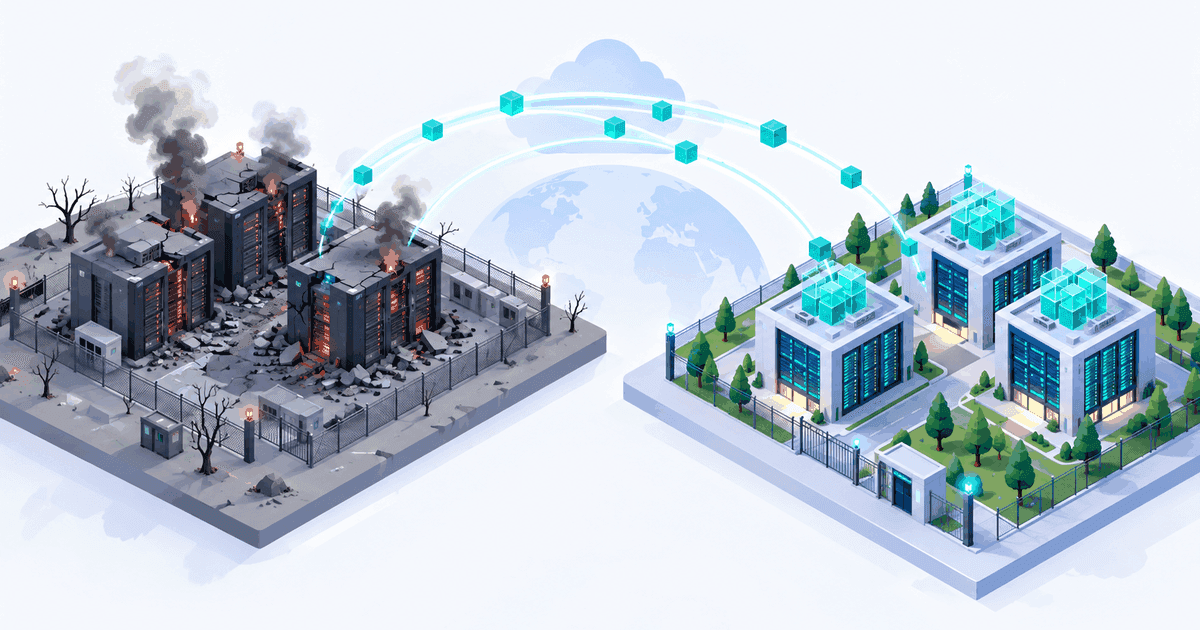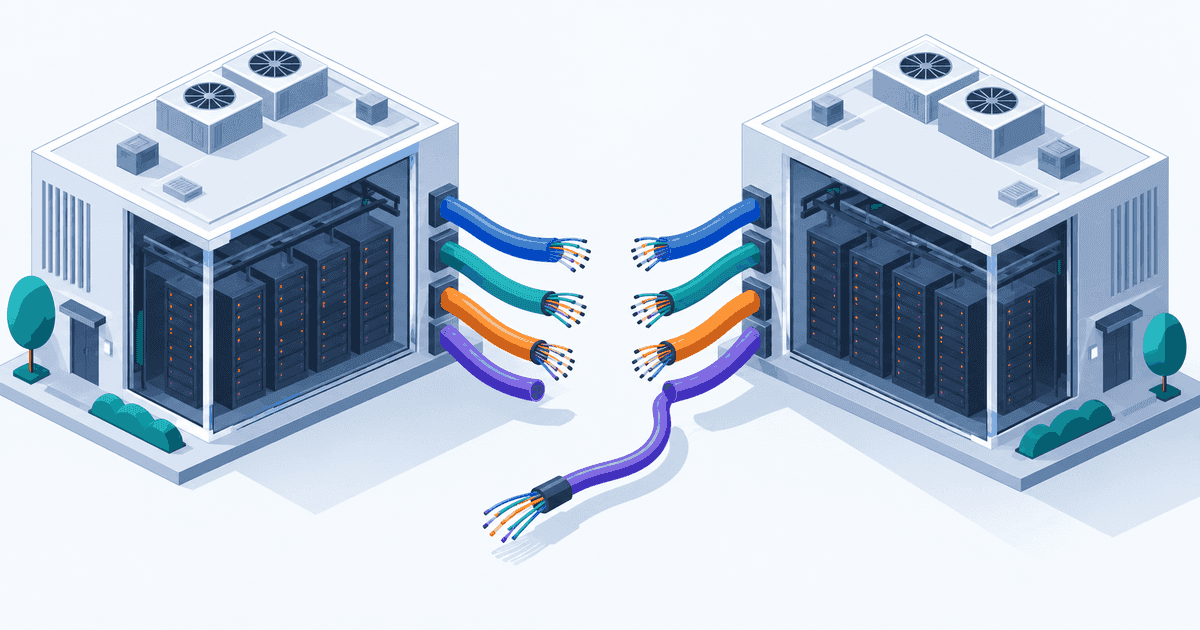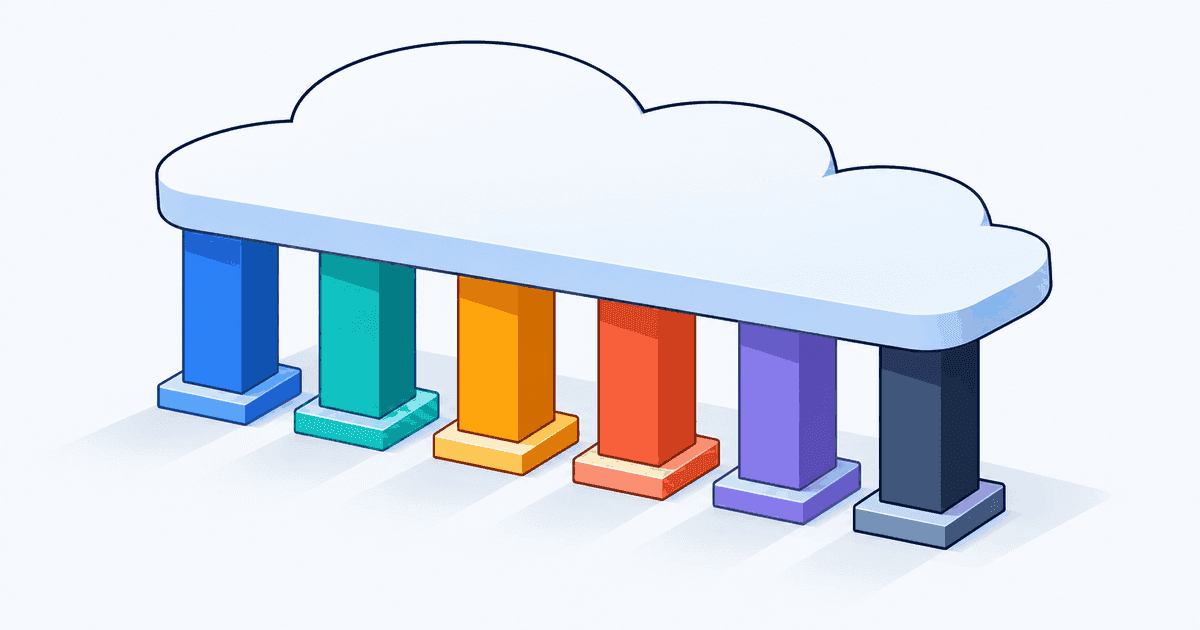
Somebody on your team has already done a Well-Architected Review. You can usually tell, because there is a spreadsheet in a shared drive with two hundred rows, colour-coded red and amber, last modified fourteen months ago. Nothing on it got fixed. Not because the findings were wrong, but because a flat list of everything AWS thinks a perfect workload would do is useless to a team that also has to ship features this quarter.
That failure mode is what this guide is about. The AWS Well-Architected Framework is not a checklist you pass it is a structured way of having the argument your architecture decisions already contain. The interesting part was never the six pillars. It is where they pull against each other, because every real design choice trades one pillar for another. What follows walks each pillar with the decision it actually forces, then spends most of its space on the conflicts, on how a review runs in practice, and on how to use the output without producing a backlog nobody works.
The AWS Well-Architected Framework is a set of prompts, not requirements
There are six pillars: Operational Excellence, Security, Reliability, Performance Efficiency, Cost Optimization, and Sustainability. The first five have been stable for years. Sustainability was announced at re:Invent in December 2021 and landed in the Well-Architected Tool the following March, and it is still the one most teams skip partly because it reads like a corporate ESG obligation rather than an engineering concern, and partly because its recommendations overlap heavily with Cost Optimization.
Treat each pillar as a question you are obliged to answer out loud, with a named owner and a date. A pillar you can answer in one sentence is fine. A pillar where three people in the room give three different answers is the finding.
Operational Excellence: can you change this safely, and do you know when you've broken it?
The concrete version of this question is: how long between a bad deploy and someone knowing? Not the alert firing someone knowing.
A payments team running Fargate behind an ALB had good dashboards and a five-minute alarm on 5xx rate. A deploy shipped a serialisation change that returned HTTP 200 with an empty body. Error rate stayed flat; they found out from a customer. The finding was not "add more dashboards" it was that their health signal measured the transport, not the outcome. The fix was a synthetic canary asserting on response content, plus a deployment alarm wired into the ECS circuit breaker so rollback happens without a human.
This pillar also asks who is on the hook, which turns into an organisational question fast. Runbooks mean nothing if operational ownership between the delivery team and the central platform group is unsettled, so settle that before you answer the tooling questions.
Security: who can reach this, and what happens when a credential leaks?
The useful form of this question is adversarial. Pick one IAM role in the workload ideally the CI deploy role and trace what it could do if the token were stolen at 3am on a Saturday.
Most teams find the same two things. The CI role has iam:PassRole with Resource: "*", which is account admin with extra steps. And the role that builds is the role that deploys, so a compromised dependency in a pull-request build has a path to prod.
Neither is fixed by a scanner. Both are fixed by pushing security decisions into the delivery pipeline itself, which is why the security-in-CI/CD approach matters more to this pillar than any amount of retrospective auditing.
Reliability: what is the failure domain, and have you tested losing it?
The framework asks about recovery objectives. The real question is narrower: name the thing whose loss you have actually rehearsed.
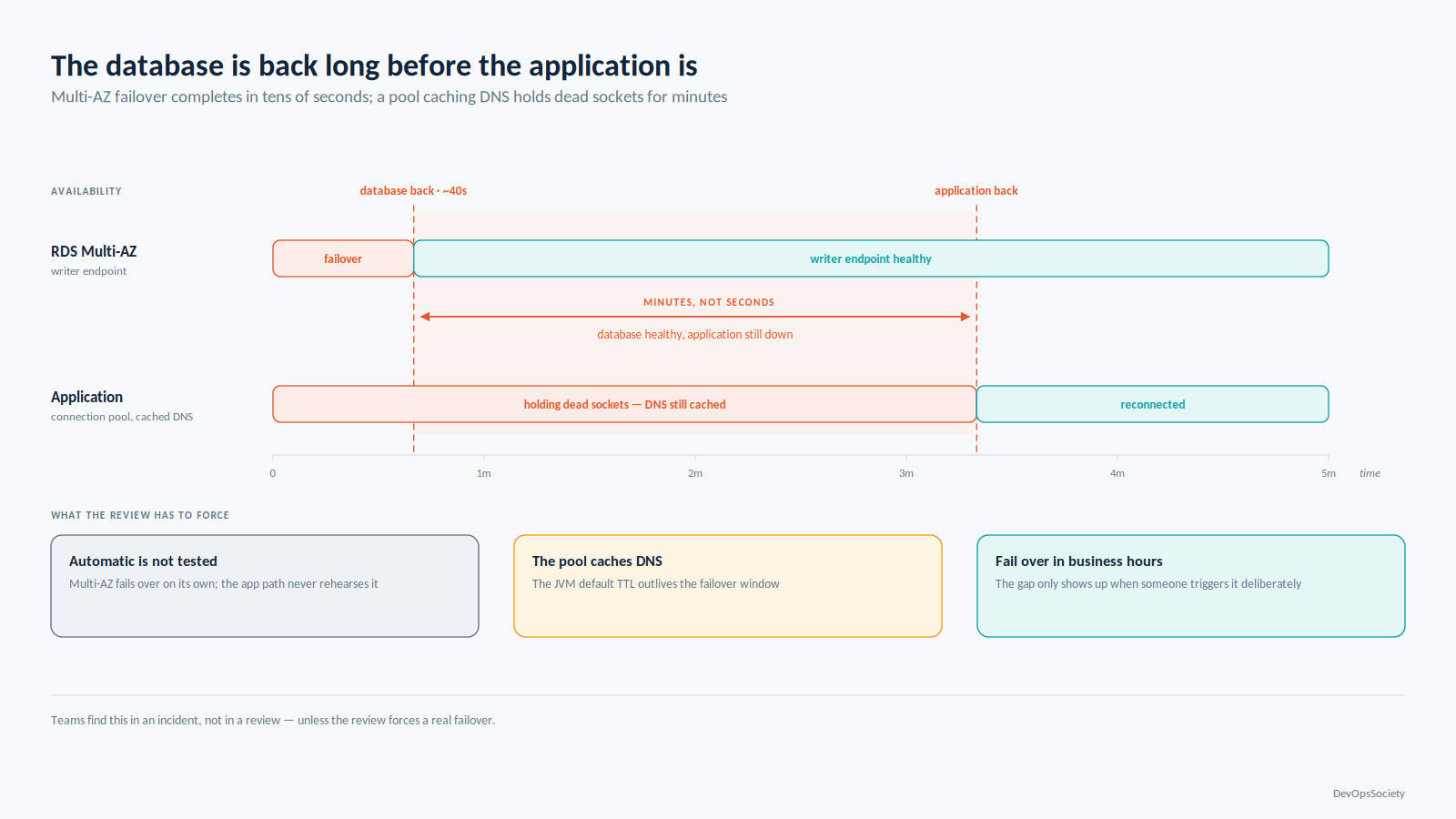
An RDS Multi-AZ deployment gives you automatic failover, not tested failover, and the two behave differently. Failover typically takes tens of seconds, during which the writer endpoint resolves to nothing useful and an application whose connection pool caches DNS for the JVM default TTL sits holding dead sockets long after the database is back. Teams find this in an incident, not in a review unless the review forces a real failover during business hours.
Performance Efficiency: find the resource you exhaust first
The recurring real-world case is a team scaling an application tier on CPU when the actual constraint is a connection limit, a lock, or a downstream quota. Adding tasks makes it worse each new task opens more connections to the same saturated database.
The question that breaks the loop: what is the resource you run out of first, and do you have a metric for it? If the answer is "CPU, because that's what the autoscaling policy uses," you have not answered it.
Cost Optimization: what would you turn off tomorrow if the bill doubled?
Every team has an answer and almost none have written it down. The exercise takes twenty minutes: list the top ten line items by spend, and next to each write the name of the person who would notice if it disappeared.
The items with no name are the finding. In practice they are old EBS snapshots, a staging environment that runs at production scale, CloudWatch Logs with infinite retention on a service that logs every request body, and NAT Gateway processing charges for traffic that should be going through a VPC endpoint. The pricing model matters more than the rate: NAT Gateway bills hourly plus per gigabyte processed, so S3 traffic routed through a NAT pays twice for something a gateway endpoint does for free. Rates change; that mistake doesn't.
Cost work stops being a cleanup exercise and becomes a practice when someone owns the forecast and the unit economics, which is the whole point of treating cloud spend as a shared engineering discipline rather than a quarterly panic.
Sustainability: stop paying for work nobody asked for
Strip the reporting language and this pillar asks whether compute is producing output anyone consumes. Log lines nobody queries. Thumbnails regenerated per request instead of cached. A nightly job reprocessing the full dataset because nobody built incremental loading. Graviton never adopted because the migration was never scheduled.
The overlap with Cost Optimization is close to total, which is why this pillar is easiest to sell internally by not mentioning sustainability at all.
Where the pillars fight
Pillar | The question it forces | Most often conflicts with |
|---|---|---|
Operational Excellence | How long between a bad change and someone knowing? | Security change velocity versus approval gates |
Security | What does a leaked credential reach? | Operational Excellence least privilege versus break-glass speed |
Reliability | What failure domain have you actually rehearsed losing? | Cost Optimization redundancy and cross-AZ traffic both bill |
Performance Efficiency | What resource do you exhaust first? | Reliability caching and pooling trade correctness and blast radius |
Cost Optimization | What gets turned off if the bill doubles? | Reliability rightsizing consumes failure headroom |
Sustainability | What compute produces output nobody consumes? | Performance Efficiency efficiency ceilings cap peak responsiveness |
A review that produces no tension has not been run properly. Four of these conflicts show up in nearly every workload.
Multi-AZ reliability versus cross-AZ data transfer cost
Spreading across three Availability Zones is the default reliability answer, and it is usually right. It is also the single most common source of surprise network spend, because data crossing an AZ boundary inside a VPC is charged per gigabyte in both directions. A chatty service mesh with random load balancing sends roughly two-thirds of its traffic across an AZ boundary by construction.
You have three positions available, and the framework will not pick one for you. Accept the charge as the cost of the failure domain. Keep three AZs but add topology-aware routing so traffic prefers same-zone endpoints, falling back across zones only when local capacity is gone. Or reduce to two AZs and accept a larger capacity hit per zone loss.
The middle option has a sharp edge: with cross-zone load balancing off, a zone with three unhealthy targets and a zone with thirty healthy ones receive the same share of traffic.
resource "aws_lb_target_group" "api" {
  name        = "api-tg"
  port        = 8080
  protocol    = "HTTP"
  vpc_id      = var.vpc_id
  target_type = "ip"

  # NLB default is off, ALB default is on. Turning this off on an ALB keeps
  # traffic in-zone (cheaper) but makes per-AZ capacity skew your problem.
  load_balancing_cross_zone_enabled = "false"
}

resource "aws_ecs_service" "api" {
  name                          = "api"
  cluster                       = aws_ecs_cluster.main.id
  task_definition               = aws_ecs_task_definition.api.arn
  desired_count                 = 12
  availability_zone_rebalancing = "ENABLED" # keeps tasks evenly spread after a zone recovers

  load_balancer {
    target_group_arn = aws_lb_target_group.api.arn
    container_name   = "api"
    container_port   = 8080
  }
}
Do not turn cross-zone off without per-AZ healthy-host alarms in place. The saving is real; the failure mode is a partial outage that looks like elevated latency.
Aggressive rightsizing versus headroom for failure
Cost Optimization pushes utilisation up. Reliability needs the gap between current load and capacity to absorb a zone loss, a retry storm, or a dependency slowing down.
The arithmetic is not subtle. If you run across three AZs and size each instance at 80% CPU under normal load, losing one AZ pushes the survivors to 120% of a capacity that does not exist. Autoscaling helps only if it reacts faster than your error budget burns, and EC2 Auto Scaling responding to a CloudWatch alarm on a cold AMI is not a sub-minute operation.
Write the number down rather than arguing about it. Pick the largest failure you intend to survive without degradation, and set your steady-state utilisation target so the surviving capacity absorbs it roughly 65% across three AZs, roughly 45% across two. Then defend that number in cost reviews as a reliability requirement, not slack.
Least privilege versus operational speed
Security wants scoped, time-bound, approved access. Operational Excellence wants an on-call engineer to read a production log at 3am without filing a ticket.
The resolution most teams land on is asymmetric permissions: broad read access, narrow write access, and a break-glass role that grants more but fires an alert and creates an audit record when assumed. The role's existence is not the finding; the finding is whether anyone reviews its use.
# Who used the break-glass role in the last week, and did anyone read the result?
aws cloudtrail lookup-events \
  --lookup-attributes AttributeKey=EventName,AttributeValue=AssumeRole \
  --start-time "$(date -u -d '7 days ago' +%Y-%m-%dT%H:%M:%SZ)" \
  --query 'Events[?contains(Resources[].ResourceName, `break-glass`)].[EventTime,Username]' \
  --output table
If that command returns rows and nobody has an answer for them, least privilege is theatre. If it returns nothing for six months, the role is probably too painful to use and people have found another way in.
Caching versus correctness
Performance Efficiency likes caches. Reliability and Security both have opinions about them.
The standard example is an ElastiCache layer in front of a permissions lookup. It removes a hot query, drops p99 latency, and introduces a window usually the TTL where a revoked permission is still honoured. Sixty seconds of stale authorisation is fine for a feature flag and unacceptable for an account suspension.
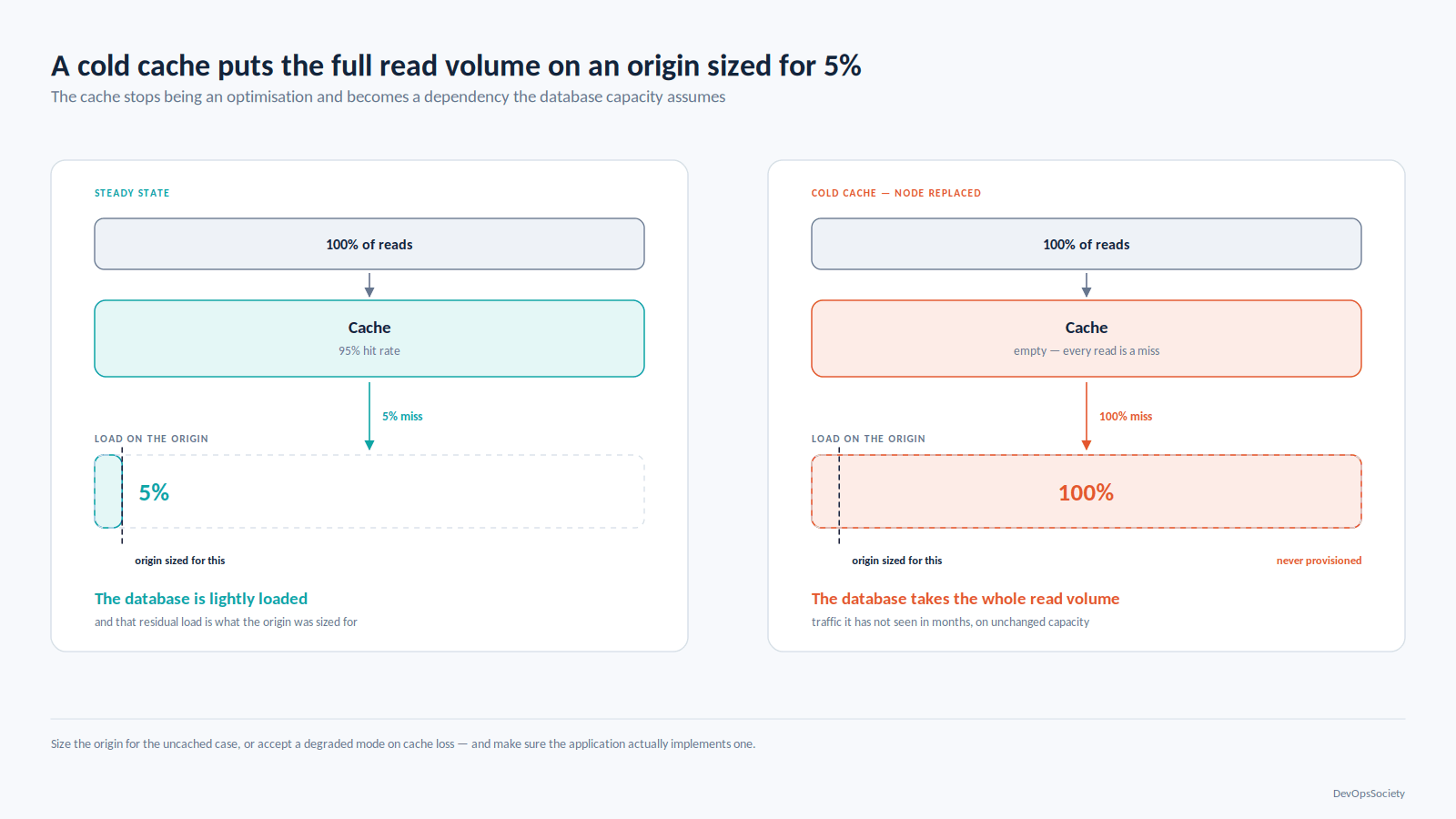
The second-order problem is worse. A cache absorbing most of your reads is now a dependency, and the origin has been sized for post-cache load. A cold cache after a node replacement sends full traffic to a database that has not seen it in months. Size the origin for the uncached case, or accept a degraded mode on cache loss and make sure the application actually implements one.
How a Well-Architected Review actually runs
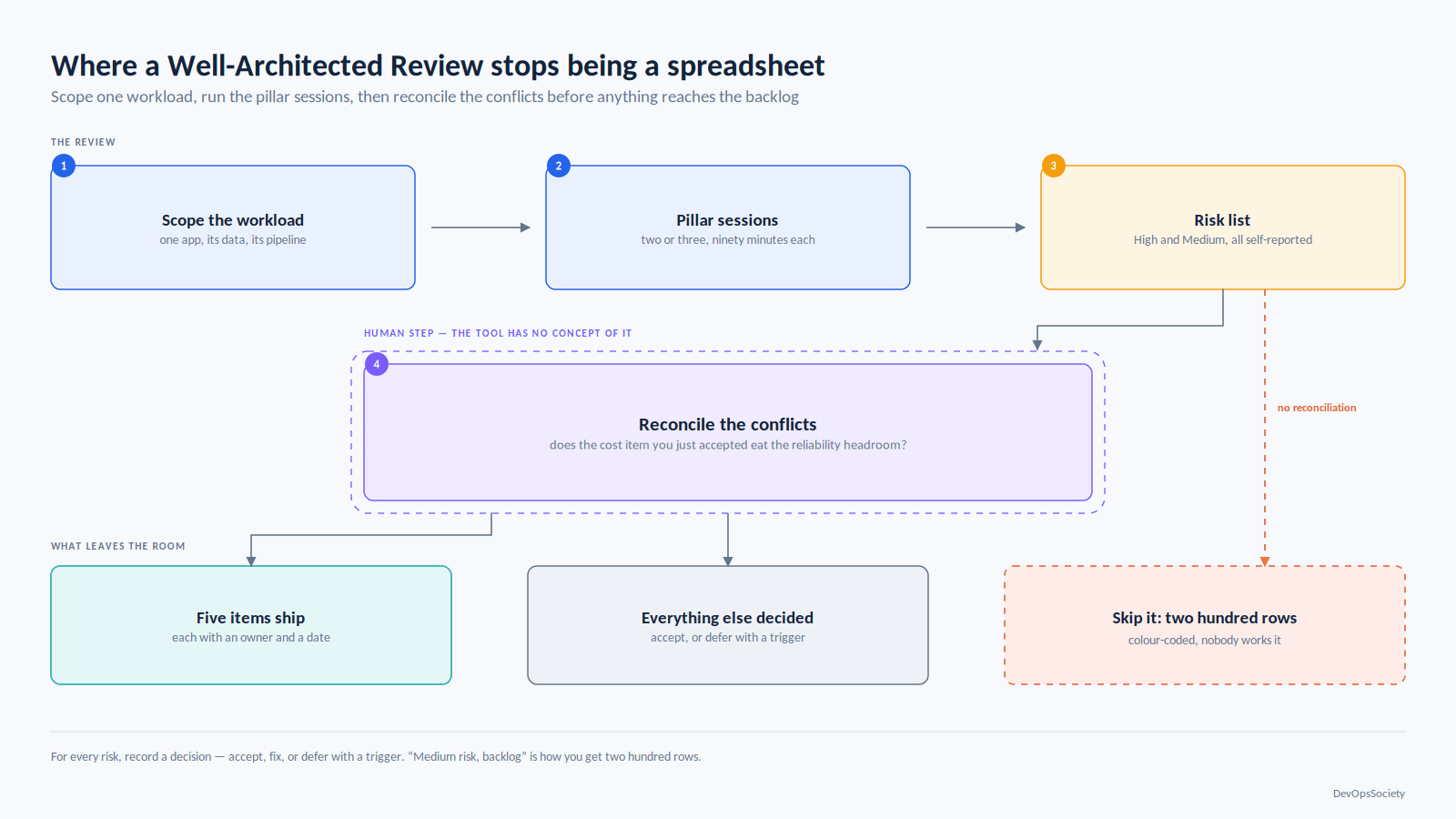
A review is a structured conversation about one workload, not an audit of an account. Scope it accordingly: one application, its data stores, its pipeline, its dependencies. "Our AWS estate" is not a workload and reviewing it produces the useless spreadsheet.
Run it as two or three ninety-minute sessions with the people who would be paged, plus someone from outside the team to ask the questions insiders have stopped asking. An AWS Solutions Architect or a Well-Architected Partner can facilitate, and that outside perspective is the valuable part; the questionnaire is public and you can run it yourself.
Each pillar has a set of questions, each question a list of best practices you mark as applied, not applied, or not applicable. The tool converts unselected practices into risks flagged High or Medium. Answer honestly. A review where everything is green is a review somebody optimised for the report.
One rule saves the whole exercise: for every risk the tool raises, record a decision, not just a status. Accept, fix, or defer with a trigger. "Deferred until we exceed 500 requests per second" is a real answer. "Medium risk, backlog" is not, and that is how you end up with two hundred rows.
What the Well-Architected Tool gives you, and what it doesn't
The Well-Architected Tool sits in the console at no additional charge. It stores workloads and answers, generates an improvement plan from the practices you left unselected, and saves milestones so you can show progress between reviews. Reviews can be shared with IAM principals, other accounts, or across an AWS Organization.
Beyond the base framework it provides lenses pillar questions specialised for a domain. The catalogue is actively maintained: Serverless, Machine Learning, Data Analytics, SaaS, SAP and IoT have been there for years, with recent additions covering agentic AI, hybrid networking, streaming media and digital sovereignty. Custom lenses let you encode your own standards as pillars, questions and best practices the most underused feature in the product. The questions your platform team already asks in design review belong here, not in a Confluence page.
It integrates with Trusted Advisor and Service Catalog AppRegistry for context on the resources involved, and exposes an API so reviews can be driven from your own tooling. That API is how you stop the spreadsheet problem.
# Export high-risk findings from a review into the issue tracker, not a spreadsheet
aws wellarchitected list-lens-review-improvements \
  --workload-id "$WORKLOAD_ID" \
  --lens-alias wellarchitected \
  --query 'ImprovementSummaries[?Risk==`HIGH`].[PillarId,QuestionTitle]' \
  --output text
What the tool does not do is assess anything. It reads no CloudTrail, inspects no Terraform, queries no running resources. Every answer is self-reported, so the output is exactly as honest as the room. It also has no concept of the conflicts described above nothing in the improvement plan tells you that the Cost Optimization item you just accepted has eaten the headroom the Reliability item assumed. That reconciliation is human work, and it is the work that matters.
Keeping it out of compliance-exercise territory
The 200-item backlog happens because the review output is treated as a to-do list. It is a risk register, and risk registers are for triage.
Cap what leaves the room. Take the five highest-risk items, assign each an owner and a date, and record an explicit accept-or-defer decision on everything else with the reason attached. Five things that get done beat a hundred that get filed. If a deferred item has a trigger a traffic threshold, a compliance date, a new region put the trigger in the alert that will actually fire, not in a comment field.
Used this way the AWS Well-Architected Framework costs a few hours a year and changes what gets built. Re-run the review when the architecture changes materially or roughly annually, and use milestones so the second review starts from the first rather than from scratch. Point the review at a design document before the thing is built, where changing an answer costs a conversation instead of a migration. And when two pillars conflict, write down which one you chose and why that sentence is more valuable to the engineer who inherits this in two years than the entire improvement plan.
For the architectural decisions underneath these answers account boundaries, address space, IAM enforcement, failure domains the companion piece on designing AWS estates for production covers the ones you make once and live with, and the rest of our cloud engineering coverage goes service by service.